


Help customers find
their color.
Sell what suits them.
Coloree embeds a mobile personal color diagnosis into your Shopify store — and recommends matching products to every customer.
 Add to Shopify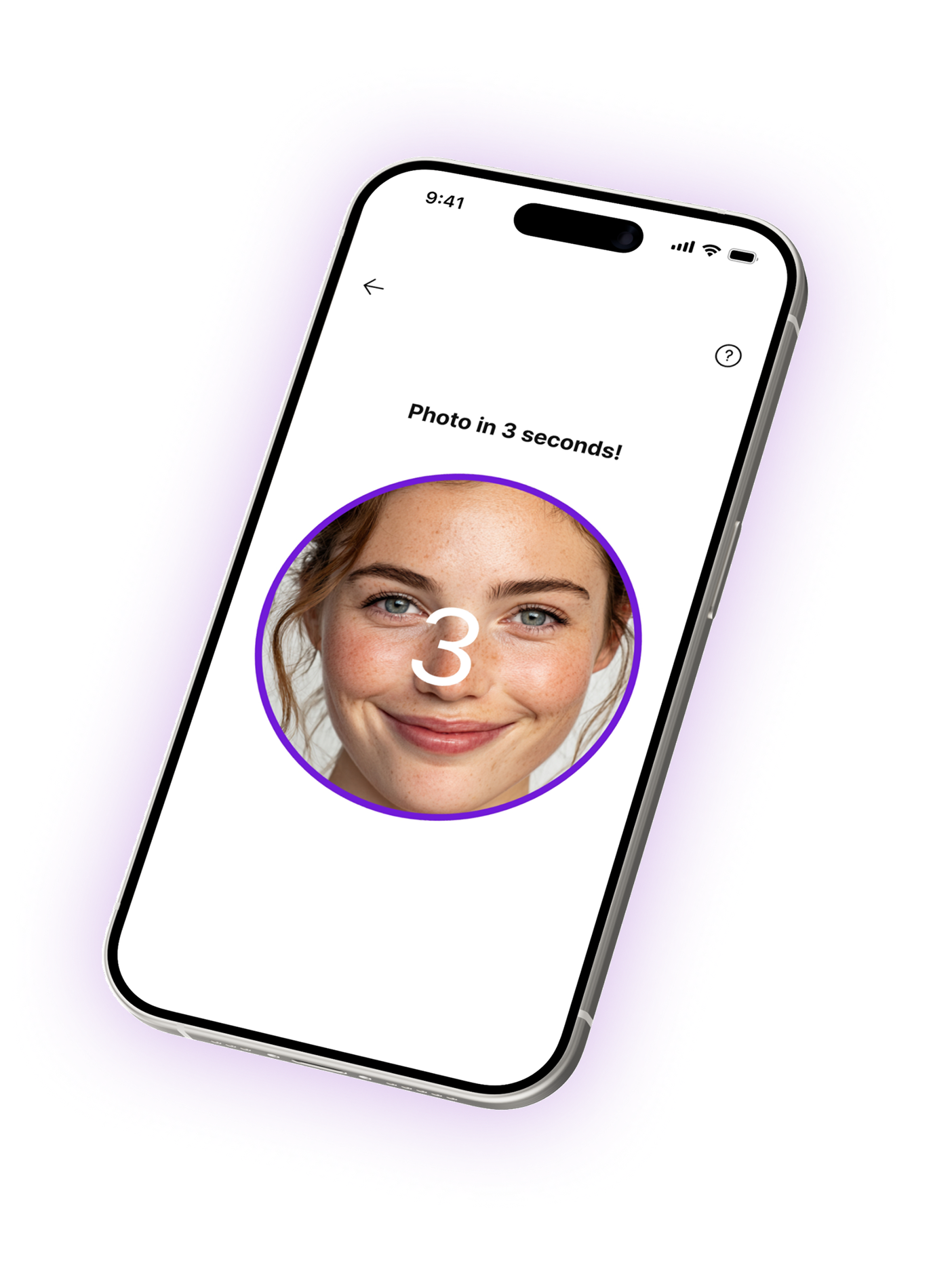
Everything Your Store Needs For Personal Color

Mobile Camera Diagnosis
Customers open a popup or floating button on mobile, capture their skin tone and eye color, and receive one of 12 personal color types.

Auto Product Matching
Coloree reads your product color data and automatically assigns each item to matching personal color types. Manual override available.

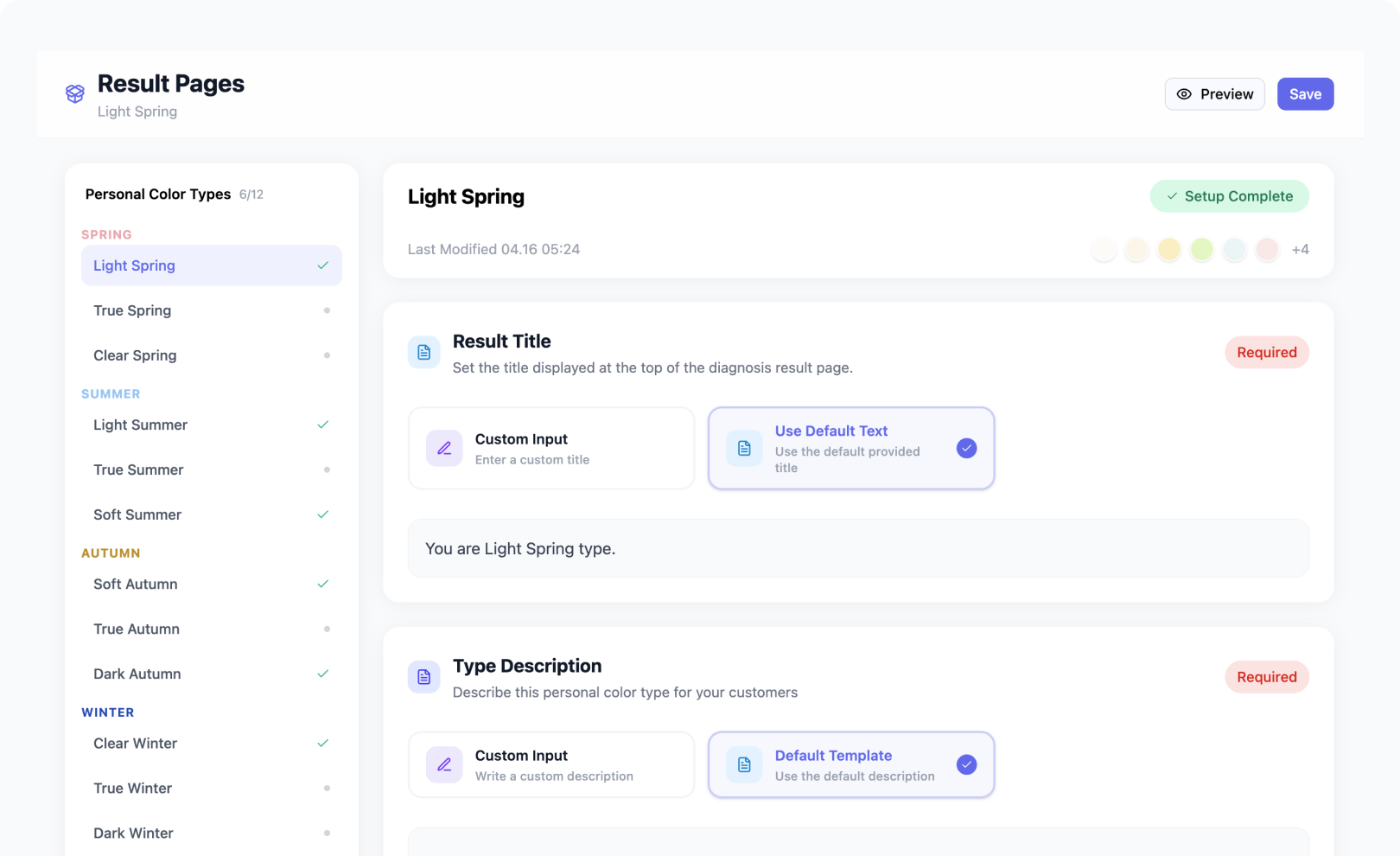
Customizable Result Pages
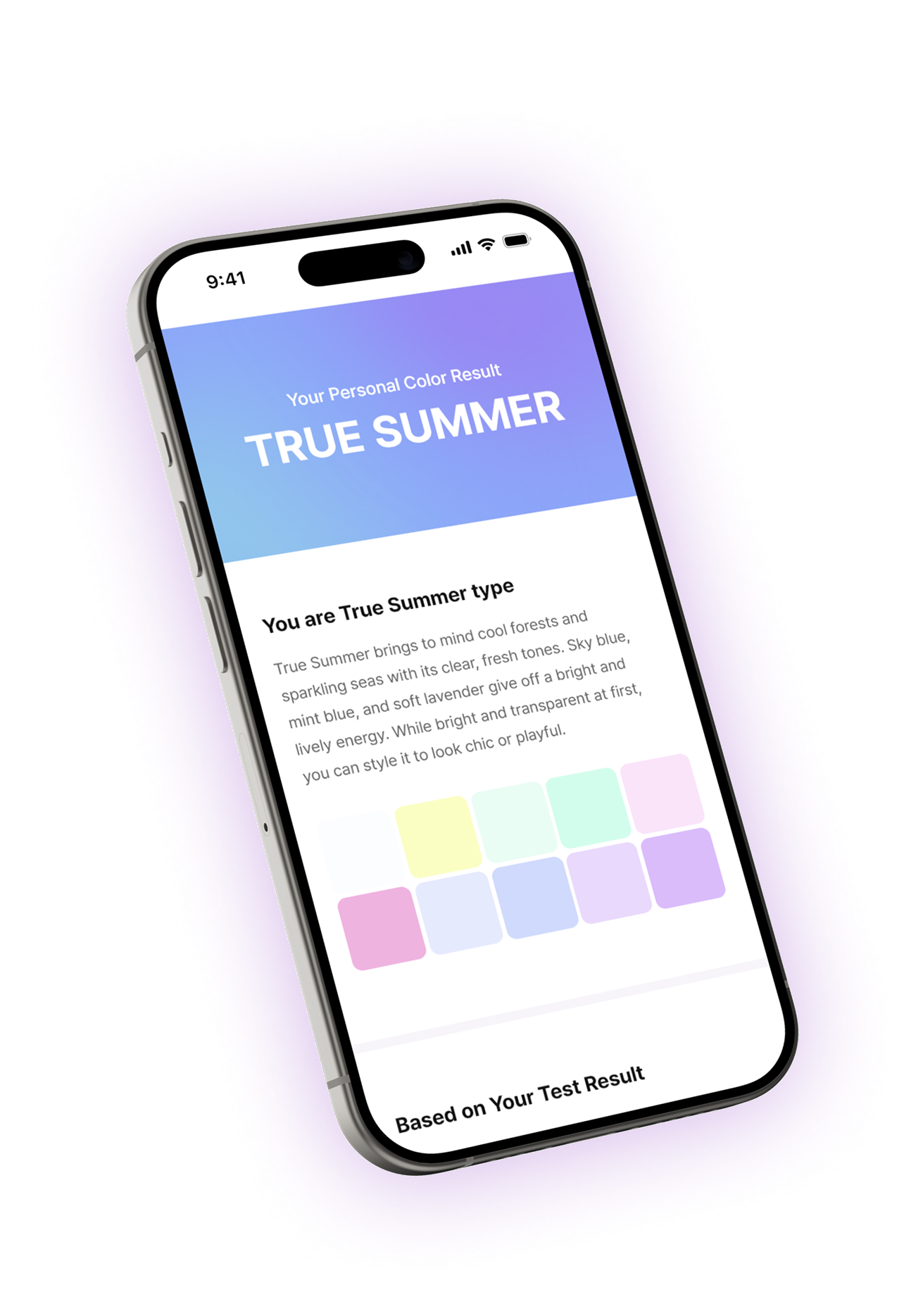
Edit the title, description, and recommended products for each of the 12 color types — all from the Coloree admin.

Diagnosis Dashboard
Track diagnosis counts, color type distribution, and trends by day, week, or month from a single built-in dashboard.
Set Up In Minutes. No Code.
Match products to color types
Tag your products with their matching personal color types in the Coloree admin.
Customize result pages
Edit titles, descriptions, and product recommendations for each of the 12 color types.
Test the diagnosis flow
Try the mobile diagnosis yourself to see the customer experience end-to-end.
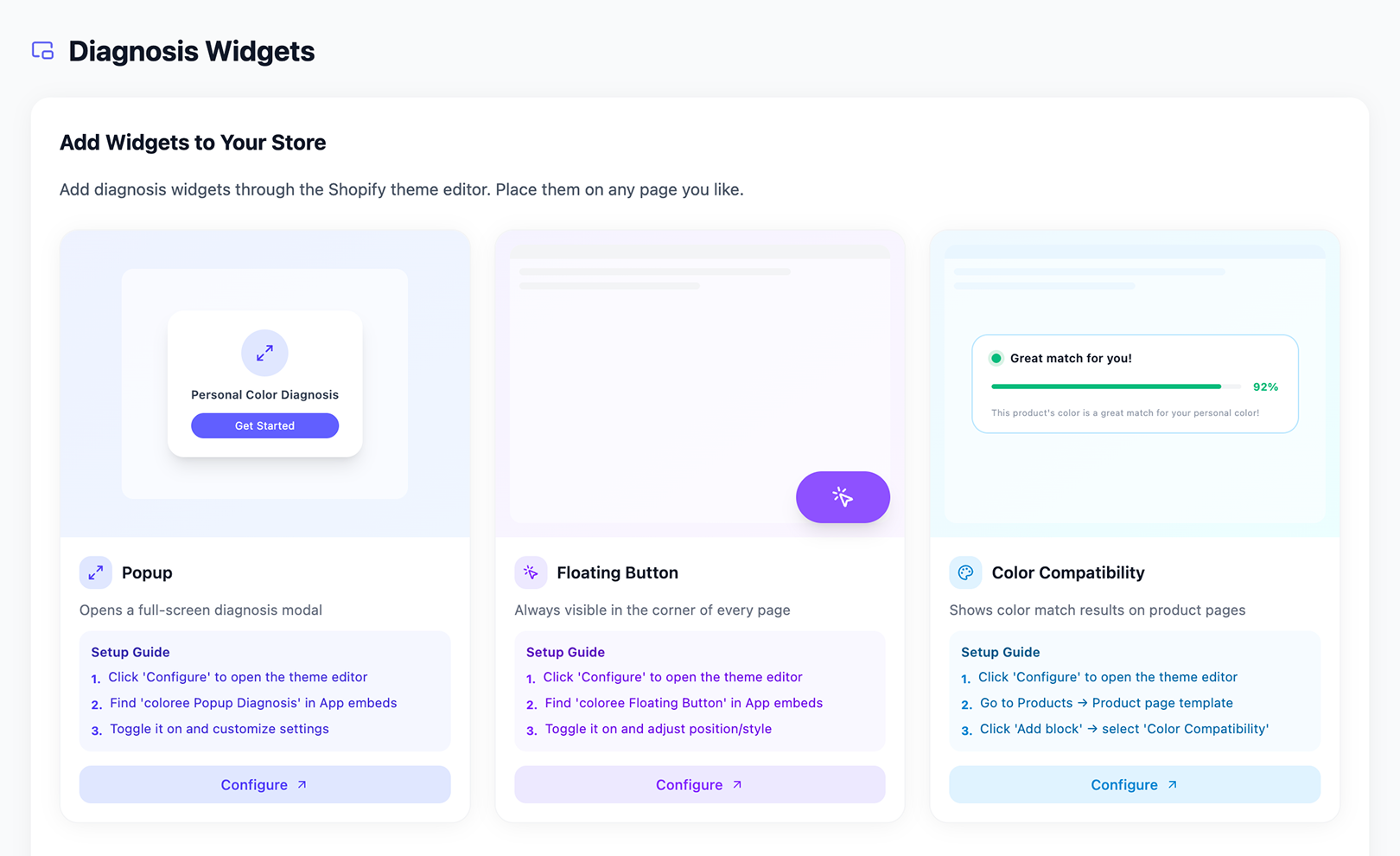
Add widget to your theme
Install the widget in your Shopify theme editor with one click. No code needed.

See every part of the experience
Diagnosis popup on mobile
Camera-based color analysis in a sleek popup interface
Customized result page per color type
Personalized recommendations based on diagnosis
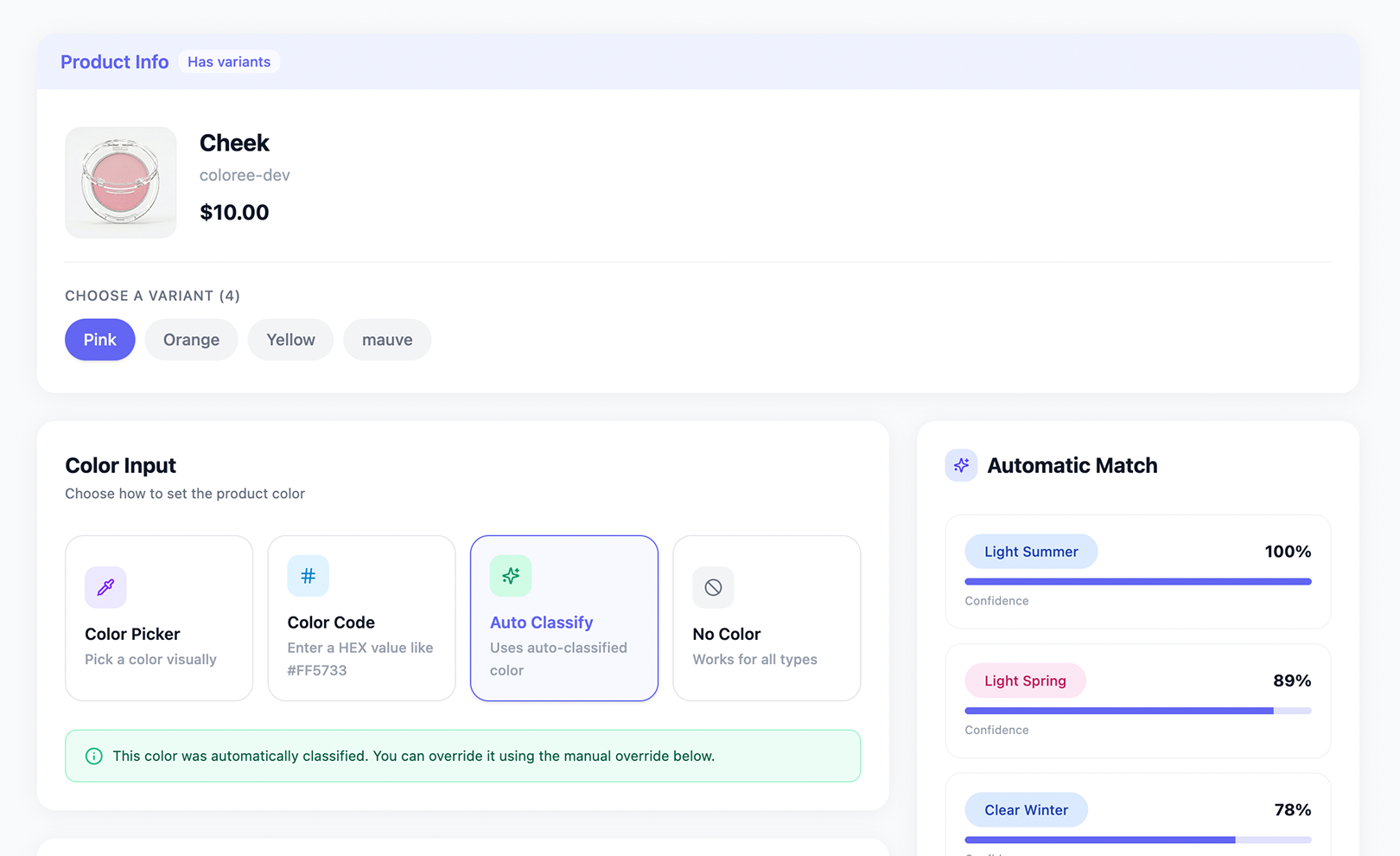
Color compatibility on product pages
Show which colors match each product
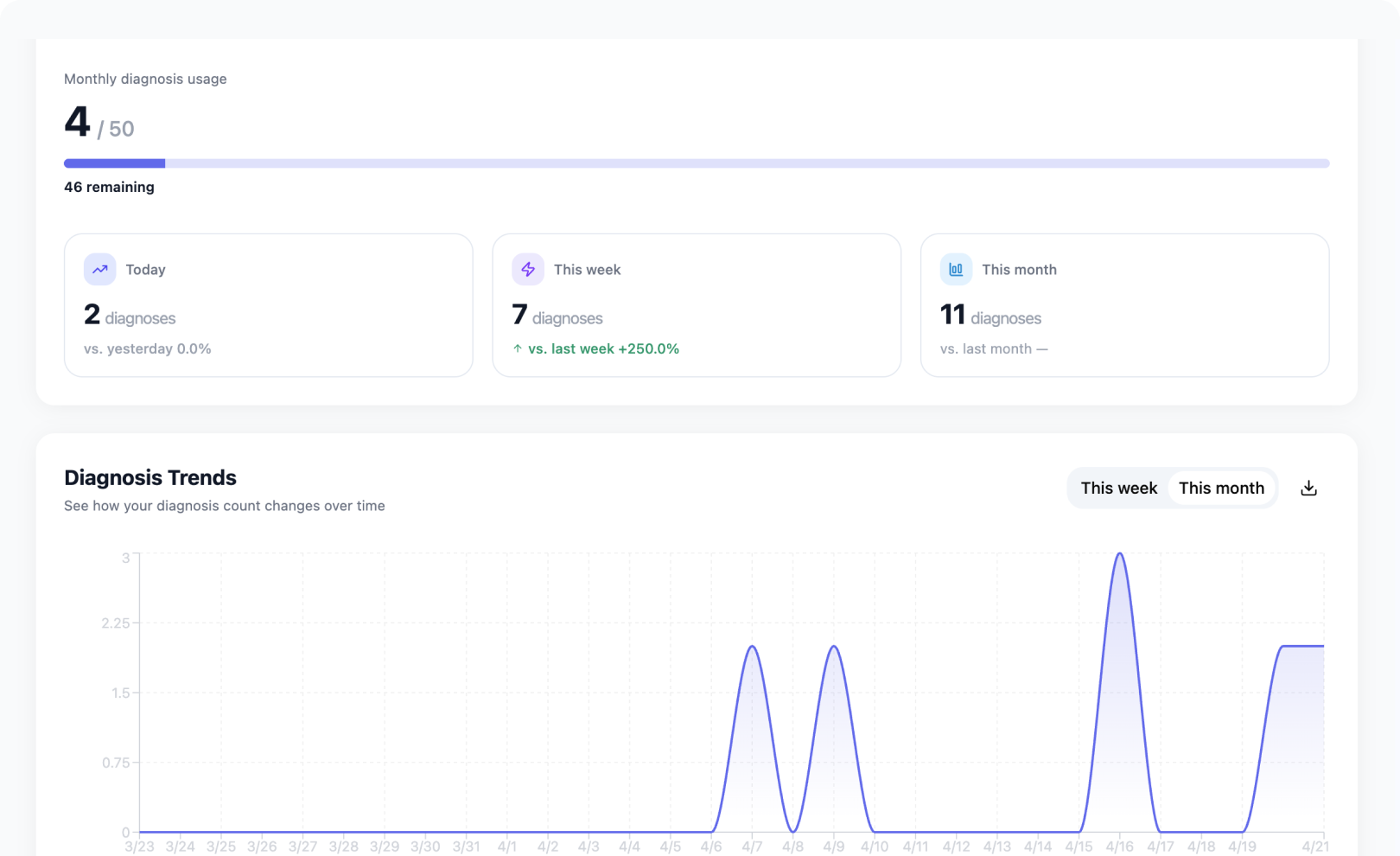
Diagnosis stats at a glance
Track customer color types and trends over time
Everything you need to know about coloree
No. The personal color diagnosis uses the device camera to capture skin tone and eye color, so it requires a mobile device.
No. All widgets — popup, floating button, and product page block — are installed through the Shopify Theme Editor using App Blocks. No code changes to your theme files are required.
Coloree reads the existing color data from your Shopify product catalog and automatically assigns each product to matching personal color types. If the automatic match needs adjustment, you can manually assign a color using the color picker or hex code input — including per-variant color assignment.
Yes. Each of the 12 personal color types has its own result page that you can fully edit from the Coloree admin — including the title, description, and recommended products. Changes go live immediately without republishing your theme.
On Basic and Pro, diagnoses keep working past the monthly included amount — each extra diagnosis is billed at $0.02 on your Shopify invoice, so your storefront widgets stay live. On Free, the diagnosis widgets are hidden once the 50 included diagnoses are used, until the plan is upgraded or renewed.
Yes. The personal color diagnosis requires customers to be logged in to their Shopify account. Customers without an account will need to create one before starting the diagnosis.
Coloree uses a 12-type system based on seasonal color analysis: Spring (Light, True, Clear), Summer (Light, True, Soft), Autumn (Soft, True, Dark), and Winter (Clear, True, Dark). Each type has a dedicated result page with curated color characteristics and product recommendations.
Ready to add personal color to your store?
Install Coloree from the Shopify App Store and set up in minutes.
 Add Coloree to Shopify